
Technical SEO with AI

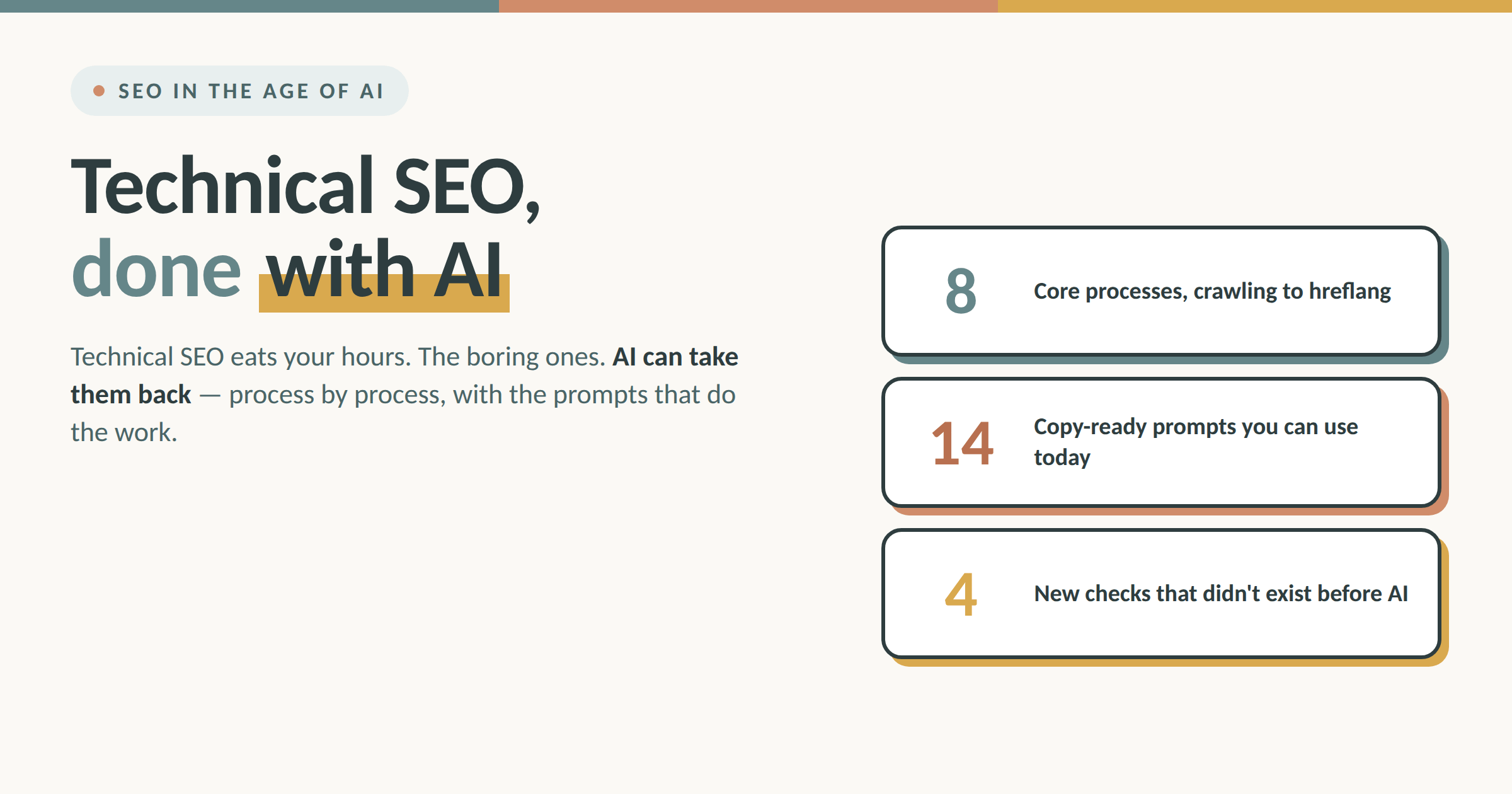
Technical SEO is a fundamental part of optimizing a site. It’s the part that takes the most expertise and the longest to do.
For anyone unfamiliar with it: technical SEO means working on a site’s foundations. And even if you’ve done a great job on architecture, mapped the semantics perfectly, built valuable content, and optimized everything else — skip the technical SEO and the results will keep you waiting.
I’ll admit I prefer working on architecture and content. But I’ve discovered that if I put my headphones on and play some good music, technical SEO isn’t half bad.
AI here, I promise you, makes the work more efficient. It doesn’t replace technical understanding — that part stays pretty human — but it helps gather data, analyze it, and put strategies to work.
Let’s go process by process. Here’s where AI genuinely helps, plus a few prompts you can use.
Crawling and indexing
Every technical audit starts the same way: find out what Google can actually reach, read, and index on your site. Search Console’s “Coverage” (or “Page indexing”) report is still the mandatory starting point of any SEO audit, together with a crawl from Screaming Frog or another technical crawler.
The problem shows up right after. A crawl of a medium-to-large site easily returns a few thousand rows of errors, warnings, anomalies.
This is where AI helps find patterns in a pile of data that’s sometimes enormous. Export the crawl as CSV, feed it to the model, and ask it to group the errors by common cause, not by error type.
The difference is substantial: 900 pages showing “404” can actually hide three separate causes — a plugin that changed the URL structure, a deleted category with no redirect, a pagination bug.
Beyond the analysis, ask your AI model to create an Excel or a Drive file with specific parameters. It’ll help you isolate the causes, group them, and work through the problems.
Example prompt for crawl analysis
Act as a senior technical SEO. I’m attaching the CSV export of a crawl of [site name], a [site type: ecommerce, editorial, corporate] with roughly [n] URLs, built on [CMS]. The available columns are: URL, status code, content type, title, meta description, canonical, indexability, crawl depth, number of inbound internal links, referring URL.
Don’t list the errors one by one, and don’t group them by error type. I want you to trace them back to common causes.
Analyze the file and give me:
Problem clusters grouped by probable cause, not by status code. For each cluster indicate: the cause you suspect, the number of URLs involved, three example URLs, and the recurring pattern that led you to that cause (URL structure, subfolder, parameters, depth).
A priority estimate for each cluster, based on the number of URLs involved and the number of internal links pointing to those pages.
The cases you can’t trace back to a common cause, kept separate in their own section. Don’t force the attribution: if a group of URLs has no clear pattern, tell me explicitly instead of inventing an explanation.
Then generate an Excel file with two sheets. Sheet 1 “Clusters”: one row per cluster, with columns Suspected cause, N. URLs, Priority, Examples, Recommended action, Owner (SEO or Dev). Sheet 2 “Detail”: all problem URLs with their cluster next to each, so I can filter and work in blocks.
At the end, flag which hypotheses need manual verification from me before I act.
Redirects and broken links
Redirect chains (A points to B, B points to C) are one of the most common technical problems on sites that have been online for several years, especially after migrations or CMS changes.
Every extra hop in the chain slightly dilutes the authority passed through, and slows down crawling.
Spotting the chains with an audit tool is the easy part.
The tedious work comes after: deciding, for every chain, what the correct final destination is, and making sure a redirect doesn’t itself point to a page that’s getting deleted in six months.
This is where AI helps build the redirect map. You give it the list of chains found by the crawler plus the site structure, and it proposes the optimal final destination for each one, flagging the ambiguous cases that need an editorial call. Those, rightly, stay yours.
I’ve found it useful to give the model the site’s architectural context: the taxonomies, the mapping of the new categories. Without those rules, on URLs that look alike the model ends up guessing at semantic relevance.
Example prompt for the redirect map
Act as a senior technical SEO. I need to rebuild the redirect map for [site name], a [site type] on [CMS], online since [year] and migrated from [old platform] in [period].
I’m giving you three things:
The export of redirect chains found by the crawler (columns: starting URL, intermediate hops with their status code, final URL, final status code, number of inbound internal links on the starting URL).
The current site structure: taxonomies, category tree, URL logic.
The old-category → new-category mapping decided during the migration.
Use points 2 and 3 as binding rules. Don’t infer the destination from string similarity between URLs: if two URLs look alike but the mapping says otherwise, the mapping wins.
For each chain, give me:
The final destination you propose, with the redirect rewritten as a single hop from the starting URL to that destination.
The rule you applied to get there (which mapping entry, which node in the tree).
A confidence level: high if the destination comes directly from the mapping, medium if you deduced it from the taxonomy, low if you had to guess.
Everything with low confidence goes in a separate “To decide” section, with what you’re missing to resolve it and two or three alternative destinations for me to choose from. Don’t assign a forced destination just to complete the row.
Also flag, in a separate section:
The chains whose final destination is itself a redirecting URL, a 404, or a page excluded from indexing.
The starting URLs with many inbound internal links: there, a redirect isn’t enough — the links in the content need updating.
Any loops.
Finally, generate an Excel file with two sheets. Sheet 1 “Redirects to implement”: starting URL, destination URL, redirect type (301), rule applied, confidence, notes for the developer. Sheet 2 “To decide”: the low-confidence chains with the proposed alternatives.
XML sitemaps
Sitemaps remain one of the main sources crawlers use to discover a site’s URLs.
The classic check is verifying that every URL in the sitemap returns a 200 status, not a 404 or a 301. On a site with hundreds of thousands of pages, doing it by hand is unthinkable.
An AI model connected to a script that checks status codes can process the entire sitemap and hand you back only the anomalies, already sorted by priority: 404 URLs first, redirects next, timeouts last.
The technical scraping work stays with a script, not the model. But asking the model to read that output and write the report in plain language, ready to pass to the developer, makes the whole process more efficient.
Prompt 1 – generate the checking script
Write me a Python script that reads the XML sitemap of [domain], including any nested sitemap indexes, and checks the status code of every URL.
Requirements: parallel requests with a configurable concurrency limit and a pause between batches, so as not to overload the server; timeout handling with a configurable number of retries; the ability to resume from where it stopped, because the file contains roughly [n] URLs.
Output: a CSV with columns URL, status code, redirect chain if present, final URL, response time, check timestamp. Include all URLs, not just the anomalies — I’ll filter afterward.
Add a short console summary at the end with the count per status code.
Prompt 2 – turn the output into a report
Act as a senior technical SEO. I’m attaching the CSV with the results of the status-code check on the sitemap of [site name], [n] URLs total. The columns are: URL, status code, redirect chain, final URL, response time.
Don’t give me the full list. I only want the anomalies, organized by intervention priority:
Critical – URLs returning 404, 410, or 5xx. These are dead pages inside the sitemap: remove or restore them.
To fix – URLs returning 301 or 302. The sitemap must contain the final URL, not the one that redirects elsewhere.
To check – timeouts, response times far from the site median, chains with more than one hop.
For each group, cluster the URLs by common pattern (subfolder, content type, recurring parameters) and hypothesize the cause: a dismissed category, a structure change, a sitemap generated by a plugin that doesn’t update. If a group has no recognizable pattern, say so instead of inventing an explanation.
Then write me the report in plain prose, ready to send to the developer. Structure: what was checked and when, what’s broken (most urgent first), what needs doing for each point in operational terms, what instead needs a decision from me before acting. No unnecessary SEO jargon: whoever reads it knows code, not the terminology of our field.
Attach a CSV with only the URLs to fix, with the required action next to each and the correct final URL where you can already determine it.
Duplicate and thin content
Internal duplication (several pages on the same site with overlapping content) is easy to spot with classic audit tools. External duplication (someone copying your content, or worse, an AI tool that reworked it by scraping your article) is trickier.
AI plays on two opposite fronts here. On one hand, you can use it to speed up genuinely differentiated content, the kind that reduces overlap between your own pages (two articles answering the same question in different words are a cannibalization problem, not just a duplication one). On the other, a language model is excellent at reading two texts and telling you how much they overlap semantically, not just lexically — something a classic string-based duplicate content tool can’t do.
For noindexing low-value pages (empty categories, orphan tags, ecommerce filter pages), AI can help you define the rules in bulk: you give it the list of URLs with their parameters, and it returns the correct logic to place in the robots meta tag or the X-Robots-Tag HTTP header, explained line by line.
Careful not to confuse the tools: noindex goes in the meta tag, not in robots.txt, which Google no longer supports for this purpose since 2019 and which controls crawling, not indexing. In fact, if you block a page with robots.txt, Googlebot can’t even read the noindex in the meta tag, and the page risks staying indexed anyway.
Prompt 1 – semantic overlap and cannibalization
Act as an SEO content strategist. I’m attaching [n] pieces of content from [site name], [section name] section, each with: URL, title, H1, full text, assigned primary keyword, main entry queries from Search Console with clicks and impressions.
Analyze the semantic overlap, not the lexical one. Two articles saying the same thing in different words are overlapping even if a duplicate content tool considers them distinct.
For each pair with meaningful overlap, give me:
The two URLs and the estimated overlap percentage, with an explanation of what overlaps: the search intent, the topics covered, or both.
Whether the two pages compete on the same queries in Search Console — that is, whether it’s real cannibalization and not just thematic similarity.
What makes each of the two unique, if anything does.
The recommended action among: merge into a single piece (indicating which URL to keep and why), differentiate the two intents (indicating which angle to assign to each), or leave unchanged because the overlap is only apparent.
If you recommend merging, tell me which parts of the content being retired should be salvaged into the surviving page, so I don’t lose information.
Don’t force the analysis: if a pair seems to overlap but it needs my editorial judgment to decide, put it in a “To evaluate” section instead of recommending an action.
Prompt 2 – noindex rules for low-value pages
Act as a senior technical SEO. I’m attaching the list of URLs of [site name] with their parameters, template type, number of products or articles contained, and Search Console data for the last 12 months (clicks, impressions, average position).
Identify the pages that are candidates for exclusion from the index: empty or near-empty categories, tags with a single associated content, ecommerce filter and sorting pages, pagination beyond the first, internal search results.
Constraints to respect:
Noindex must be implemented in the robots meta tag or the X-Robots-Tag HTTP header. Don’t propose noindex directives in robots.txt: Google no longer supports them since 2019.
Don’t propose blocking in robots.txt the URLs you want to noindex. If Googlebot can’t access the page, it doesn’t read the meta tag and the page can stay indexed.
Exclude from the candidates any URL that in the last 12 months brought organic clicks or ranks on relevant queries, even if the template would seem low-value. Flag these separately as exceptions.
Give me the rules grouped by pattern (not URL by URL), each with: the affected URL pattern, the number of pages involved, the reason for exclusion, the exact directive to implement, and where it goes (template, server header, CMS configuration).
Add a note on the consequences to monitor after implementation, and on any internal links pointing to those pages that need reviewing.
Mobile usability
With mobile-first indexing fully complete for years now, the mobile usability problems that remain are the subtle ones: buttons too close together, text overflowing the viewport, elements overlapping on small screens. Mobile analysis tools flag them technically, but turning “the tap target is too small” into an actual fix still needs a human eye and work on the CSS.
AI here mostly helps with prioritization: on a site with hundreds of templated pages, asking the model to group the tool’s findings by template component (not by individual page) tells you the problem isn’t 200 pages — it’s a single header component repeated.
Example prompt for prioritizing mobile findings
Act as a technical SEO working closely with the frontend development team. I’m attaching the export of mobile usability findings for [site name], [n] URLs analyzed, site built on [CMS/framework] with [n] main templates.
I’m also giving you the list of the site’s templates and shared components (header, footer, menu, product card, newsletter box, cookie banner, tables, gallery), indicating which templates use them.
Don’t give me the findings page by page. Group them by template component.
For each problem component, indicate:
The component involved and on how many URLs the error repeats.
The type of problem (tap target too small or too close, text exceeding the viewport, overlapping elements, insufficient contrast) and where in the component it occurs.
How many different templates use that component: an error in a component present in 8 templates out of 10 matters more than an error on an isolated template.
Whether the pages involved generate meaningful organic traffic, so I can distinguish the widespread-but-irrelevant problem from the narrow-but-on-important-pages one.
Order the components by real impact, not by raw number of findings. A single header component breaking 200 pages is one fix, and it goes before 15 different problems scattered across 20 pages.
For each component, write what needs fixing in concrete terms for whoever touches the CSS: which property is involved and what behavior needs to result. Don’t generate the final code, because you don’t know the site’s real CSS: indicate the type of intervention and leave the implementation to the developer.
Flag separately the findings you can’t trace to a shared component, which are therefore probably content problems or single-page exceptions.
Close with an estimate of how many total findings get closed by fixing the first three components on the list.
Page Speed
Page speed remains one of the few technical areas where optimization has a direct, measurable ranking impact. It’s also the area where AI helps less than you’d expect, because the problem is almost never understanding what’s wrong (the performance analysis tools already tell you that very clearly) — it’s implementing the fix in the code.
Where AI still lends a concrete hand: reading the performance report and translating “eliminate render-blocking resources” into a concrete work plan, with priorities (what solves the problem right away, what’s a marginal improvement instead), and generating the code snippet directly for lazy loading, preloading critical fonts, or minifying a specific CSS file. It hands the developer a task already written, along with a file you can ask them to create and use for subsequent monitoring.
Example prompt for the performance work plan
Act as a technical SEO who has to hand a work plan to the developer. I’m attaching the performance analysis report for [URL], template [page type], site on [CMS/framework] with [stack: CDN, hosting, caching plugin in use].
The report already tells me what’s wrong. What I need from you is the translation into a work plan with real priorities.
For each finding in the report, indicate:
What it means in practice on this specific site, not in general.
The estimated gain in milliseconds or in score, and which metric it affects (LCP, CLS, INP).
The implementation effort: a configuration change, a template edit, or a refactor.
Who does it: solvable from the CMS panel, or does it need the developer.
Order everything by gain-to-effort ratio, not by the severity the report declares.
Tell me explicitly which findings are marginal improvements not worth tackling now, and why. I don’t want a plan with twenty items all urgent: I want to know which three interventions actually move the needle and which I can ignore for six months.
For the interventions in the top tier of the list, generate the ready-to-use code snippet: lazy loading attributes for below-the-fold images, preloading critical fonts with the correct format and crossorigin, defer or async for non-essential scripts, resource hints. For each snippet, indicate which file it goes in and where. If an intervention requires knowing the site’s real code, which you don’t have, say so and just describe the intervention.
Close by generating two files:
A handoff document for the developer: what to do, in what order, with the snippets and the expected result for each point.
A monitoring file in spreadsheet format with columns: measurement date, URL, LCP, CLS, INP, overall score, intervention implemented on that date, notes. Prefill the first row with the report’s current values, so I have the baseline to measure improvements from.
Structured data
Schema markup is a powerful tool for earning rich snippets, and with the arrival of AI Overviews and generative answers, clear, well-implemented structured data also helps conversational engines cite the source correctly.
This is probably the technical area where AI contributes the most directly and immediately: generating correct JSON-LD markup is a perfect task for a language model, because it’s a problem of structured syntax more than of creativity. Describe the page (an article, a recipe, a product, an FAQ) and the model writes the complete schema, which you then validate with Google’s Rich Results Test before publishing. The one mistake to avoid is publishing schema without validating it: a model can invent properties that don’t exist in the schema.org standard, so human review at this step stays necessary.
Example prompt for generating Schema markup
Act as a technical SEO specialized in structured data. I need to generate the JSON-LD markup for [URL or page description], which is [content type: news article, product review, recipe, service page, FAQ].
I’m giving you the page content and the available data: [title, author, publication and last-modified date, images with dimensions, price and availability if a product, times and ingredients if a recipe, questions and answers if an FAQ, publishing organization data].
Generate the markup respecting these constraints:
Use exclusively types and properties that actually exist in the schema.org standard. Don’t invent plausible-sounding properties: if a piece of information has no corresponding property in the standard, tell me instead of creating one.
Include all the required properties Google mandates for this type of rich result, and flag separately the recommended-but-optional ones, so I can decide whether it’s worth sourcing the missing data.
Don’t put information in the markup that doesn’t appear in the page’s visible content.
If multiple types apply, use nesting or the graph with @id instead of generating separate, disconnected blocks.
Give me back:
The complete JSON-LD, ready to insert, with an indication of where it goes in the document.
A line-by-line legend: what each property does and which page data you derived it from.
The list of properties I left empty or that are missing, with the impact of each on rich-result eligibility.
A bulleted list of things to check in the Rich Results Test and the schema.org validator before publishing, with the most likely errors for this type of markup.
Finally, tell me if any property you used is deprecated, or if Google has recently changed the requirements for this type of rich result: in that case, warn me that the detail needs verifying against the current official documentation.
Hreflang
Hreflang is a delicate topic, because a single unbalanced tag (page A points to B, but B doesn’t point back to A) is enough to void the whole implementation.
For sites with few languages, dedicated tag generators already solve the problem in a few clicks. For sites with dozens of language-country combinations, feeding the model the full list of URLs with target language and country and asking it to generate the complete hreflang matrix (reciprocity check included) is faster than building it by hand, row by row, and more reliable than a spreadsheet full of VLOOKUP formulas.
Prompt 1 – reciprocity audit on an existing implementation
Act as a technical SEO specialized in multilingual sites. I’m attaching the export of hreflang tags found by the crawler on [site name], covering [n] language-country combinations. The columns are: origin URL, declared hreflang value, destination URL, implementation method (HTML tag, HTTP header, sitemap), destination URL status code, origin URL canonical.
Verify the implementation and give me the errors grouped by type, not URL by URL:
Missing reciprocity – page A declares B, but B doesn’t declare A. Give me the pair, the missing direction, and how many pairs repeat the same pattern, since it’s usually a template getting it wrong, not the individual pages.
Missing self-reference – every URL must also declare itself.
Canonical conflicts – pages that declare hreflang toward one version while the canonical points elsewhere. This is the error that silently voids everything else.
Invalid codes – languages and countries not respecting ISO 639-1 and ISO 3166-1 Alpha 2, inversions between the two, nonexistent values. Also verify that x-default is present and assigned to a single destination.
Invalid destinations – hreflang pointing to redirecting URLs, 404s, or pages excluded from indexing.
For each group, indicate the number of URLs involved, the template or section the problem comes from, and whether the error compromises the entire implementation or only the affected pairs.
Order by severity: first what invalidates the cluster’s functioning, then what weakens it.
Prompt 2 – matrix generation and developer instructions
Act as a technical SEO specialized in multilingual sites. I need to generate the complete hreflang matrix for [site name].
I’m giving you the list of equivalent URLs, grouped by page, each with: URL, language, target country, and the indication of which version to use as x-default.
Rules to respect:
Every URL in the group must declare all the group’s versions, including itself.
Use the codes in the correct language-country format (ISO 639-1 for the language, ISO 3166-1 Alpha 2 for the country), with the language always first.
A single x-default per group.
References must point to canonical, indexable URLs, never to redirecting versions.
If matches are missing in the group (a page exists in Italian but not in German), don’t force the pairing: flag the gap instead of inventing a plausible destination.
Give me back:
The complete matrix in table format, one row per origin-destination pair, so I can verify it and pass it to the developer.
The markup generated in all three possible forms (HTML tag in the head, HTTP header, block for XML sitemap), with an indication of which is best in this case and why, considering the site has [n] combinations.
The operational instructions for the developer: where it gets implemented, how it should be generated dynamically from the page data rather than written by hand, and what automatic check to insert at build or deploy time to catch missing reciprocities before they reach production.
The list of incomplete groups that require an editorial decision from me.
What’s new
Some newer technical SEO processes, born alongside AI itself, deserve a separate mention, because until recently they didn't exist.
Log file analysis with AI
Server logs tell you exactly what Google's crawler visited, when, and how often: it's the most honest data there is on your site's real crawl budget, far more reliable than an external tool's estimates. A mid-sized site's log file easily contains millions of rows. A model connected to a parsing script can isolate, in minutes, the sections of the site Googlebot rarely visits, or that receive unusual status codes, handing you the list of real crawling priorities, not guessed ones. The operative point is exactly this: you don't feed the raw log of millions of rows to the model (it often weighs hundreds of megabytes, it doesn't fit). The script works on it first, and the AI gets the already-aggregated output to read and interpret.
Prompt 1 – the parsing and aggregation script
Write me a Python script that analyzes the server access logs of [site name], format [combined/common/JSON], for a period of [n] days, roughly [n] million rows. The script must run in streaming, row by row, without loading the file into memory.
Filter the requests from search engine bots, distinguishing Googlebot desktop, Googlebot smartphone, Googlebot Image, and the other crawlers declared in the user agent. Include a fake-bot verification via reverse DNS lookup on the IPs, with the option to disable it to speed up execution.
Aggregate the data and produce these CSVs:
Per section: first- and second-level subfolder, number of hits, unique URLs visited, status code distribution, bytes transferred, date of first and last visit.
Per URL: only the URLs with anomalies (status other than 200, response times above the median, requests repeated many times in the same day), with crawl frequency and prevailing status.
Time distribution: hits per day and per user agent, to see the trend over the period.
Crawl frequency: every URL with its visit count and the days since the last one, to identify those never or rarely visited.
Resources: how much of the crawl is absorbed by static files, images, JS, CSS, tracking parameters.
No personal data in the outputs: exclude real users’ IPs and limit processing to bot traffic.
Prompt 2 – interpreting the aggregated output
Act as a senior technical SEO. I’m attaching the aggregated CSVs of the logs of [site name] for [n] days: data per section, anomalous URLs, time distribution, crawl frequency, consumption by resource type. I’m also attaching the sitemap export and the list of the site’s strategic sections, with organic traffic data per section.
Analyze how Googlebot is actually spending the crawl budget and give me:
Under-crawled sections: strategic areas, or ones that generate traffic, that Googlebot visits rarely or not at all. Cross-reference with the sitemap to identify URLs present in the sitemap and never visited in the period.
Wasted crawl budget: sections, parameters, resources, or URL patterns absorbing many requests without corresponding value, with the estimated percentage of budget you free up by intervening.
Status anomalies: patterns of 404, 301, and 5xx served to the crawler, grouped by probable cause and not by individual URL.
Trend over the period: significant variations in crawl frequency, with a hypothesis of what may have caused them.
Sitemap vs. reality gap: what you declare you want indexed versus what Googlebot actually visits.
For each point, indicate the recommended action and who does it (SEO or dev). Distinguish observed data from your hypotheses: when you propose a cause, state that it’s a hypothesis to verify.
Bear in mind the analyzed period is [n] days: flag which conclusions would need a longer window to be reliable.
Debugging JavaScript rendering
Sites built on heavy JS frameworks hide a classic problem: what the user sees in the browser isn't always what Googlebot can render and index. Comparing raw HTML against the rendered DOM, which used to require manual inspection page by page, is now automated by asking a model to compare the two outputs and flag only the relevant content discrepancies (titles, body text, links), ignoring the cosmetic differences that don't count for indexing.
Prompt 1 – the extraction and comparison script
Write me a Python script that, for a list of URLs of [site name], built on [framework: React, Vue, Angular, Next.js], extracts and compares two versions of each page:
The raw HTML returned by the server, with no JavaScript execution.
The DOM rendered after full script execution, using a headless browser with Googlebot smartphone user agent and mobile viewport.
For each version, extract: title, meta description, meta robots, canonical, headings from H1 to H3, the main content text with word count, all internal links with their anchor text, image alt attributes, JSON-LD blocks, and hreflang tags.
Produce a CSV with one row per URL and, for each element, the value in the raw version, the value in the rendered version, and a flag indicating whether they match. Add the time the rendering took and any JavaScript errors caught in the console.
Provide a second output with the full text of both versions for the URLs that show differences, so I can pass it to a later analysis.
Handle rate limiting with a configurable pause between requests and the ability to resume execution from where it stopped.
Prompt 2 – interpreting the discrepancies
Act as a technical SEO specialized in JavaScript sites. I’m attaching the comparison between raw HTML and rendered DOM for [n] URLs of [site name]. For each URL you’ll find the values of title, meta tags, headings, content text, internal links, JSON-LD, and hreflang in both versions.
Analyze the discrepancies and classify them by impact on indexing. Ignore the cosmetic differences: CSS classes, style attributes, dynamically generated ids, attribute order, spacing, wrappers added by the framework. I don’t want a list of every diff, I want to know what changes for Googlebot.
Give me back:
Critical – elements present only after rendering: title or meta robots or canonical injected via JS, main content absent from the raw HTML, internal links generated client-side only, JSON-LD not present in the source. For each, indicate what risks not being indexed.
To check – partial differences: truncated text, headings differing between the two versions, word count significantly lower in the raw version, links present in both but with different anchor text.
Irrelevant – everything that changes without consequences for indexing, reported only as an aggregate count, with no detail.
Group the problems by template or component type, not by individual URL: if the same element is missing on 50 pages of the same template, it’s one problem.
For each critical problem, indicate which rendering approach would solve the case (server-side rendering, static pre-rendering, partial hydration, moving the element into the source) and what it entails as an intervention, without writing the code: you don’t know the application’s real architecture.
Finally, flag whether there are JavaScript console errors that could prevent rendering from completing on Google’s side, and which URLs are slowest to render, because a too-heavy render can be interrupted before it completes.
Monitoring citability in generative engines
This isn’t classic technical SEO yet, but it’s becoming a parallel process that earns a spot on this list: periodically checking whether AI Overviews, Perplexity, or ChatGPT cite your pages correctly, with the right URL and attribution, and not an expired domain or a stale cached version. It’s a check you can automate with recurring queries and a model that compares the citation against the page’s actual state.
To help you monitor mentions across generative models, I recommend using my Brand Observability Tracker. Try it out, and don’t forget to send me your feedback.
Brand Observability Tracker by Debora Tesauro
The bottom line
Technical SEO doesn't change its nature with AI. It changes its speed.
The fundamentals (a site that crawls, indexes, loads fast, and makes sense) are the same as ten years ago.
What's changed is how long it takes to get from problem to solution.
And in a job made mostly of log files, crawls with thousands of rows, and sitemaps to check one by one, saved time is, in the end, the only thing that really counts.